Hyperpane
Windows Apps, Linux Freedom#
Switching to Linux shouldn’t mean leaving your apps behind. Whether it’s games, creative tools, or business software, Hyperpane lets you run Windows applications on Linux. No dual booting, no rebooting, no compromise.
How It Works#
Hyperpane creates a virtual machine, running a full copy of Windows alongside Linux. You get a simple graphical interface that handles the entire setup for you, from installing Windows to getting your apps running at full speed.
What’s a virtual machine? Think of it like a virtual computer inside your real one. It runs Windows in its own contained space on your Linux machine, so you can use both at the same time without restarting.
Key Capabilities#
- Easy Setup: Get started in minutes. Hyperpane walks you through setup and keeps things simple.
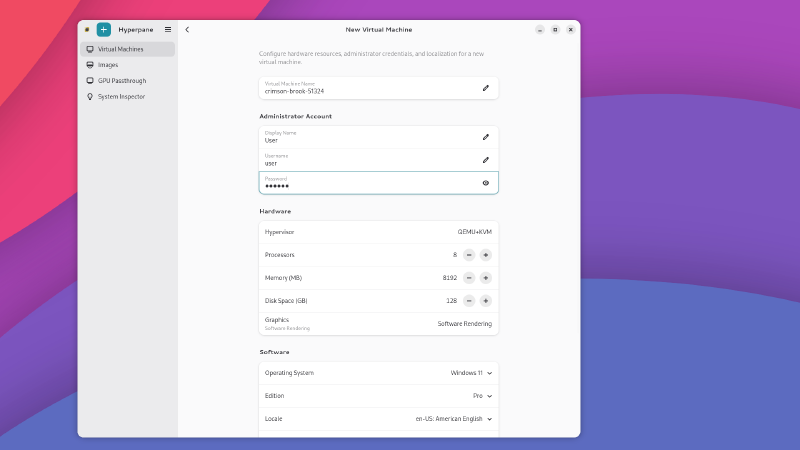
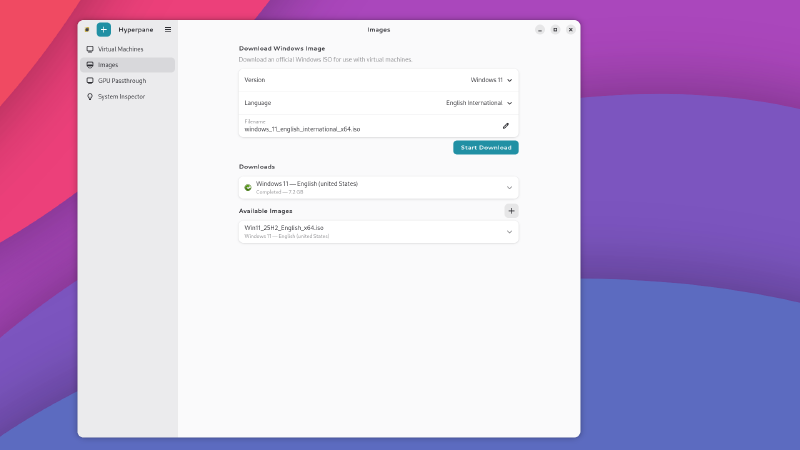
- Automated Windows Installation: Sets up Windows with a local account. No Microsoft account required, no extra configuration needed.
- Full Graphics Performance: Gives Windows direct access to your graphics card so games and demanding apps run at full speed, not in slow motion.
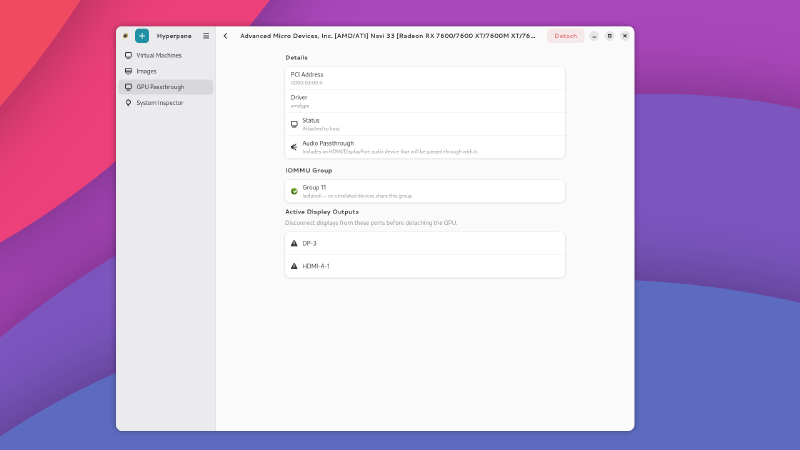
Why does this matter? Normally, virtual machines share an emulated graphics card, which makes games and heavy apps painfully slow. Hyperpane hands your real graphics card directly to Windows (this is called a “graphics passthrough”), so everything runs like it would on a regular PC.
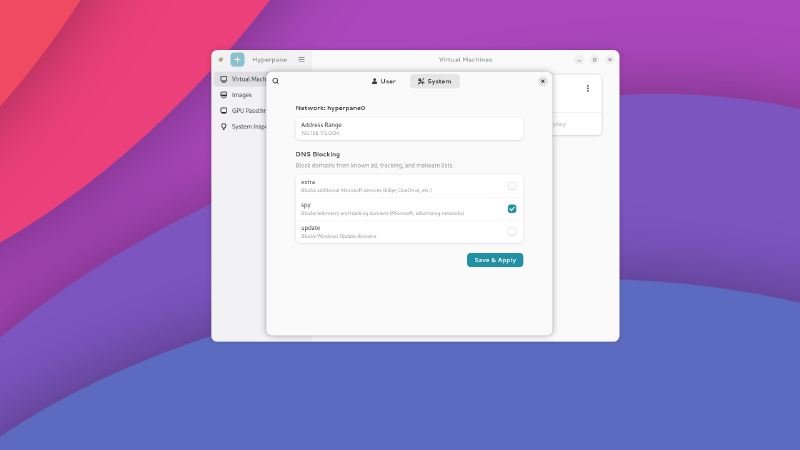
- Microsoft Tracking Protection: Built-in blocking keeps Microsoft from profiling your activity. Your data stays on your machine.
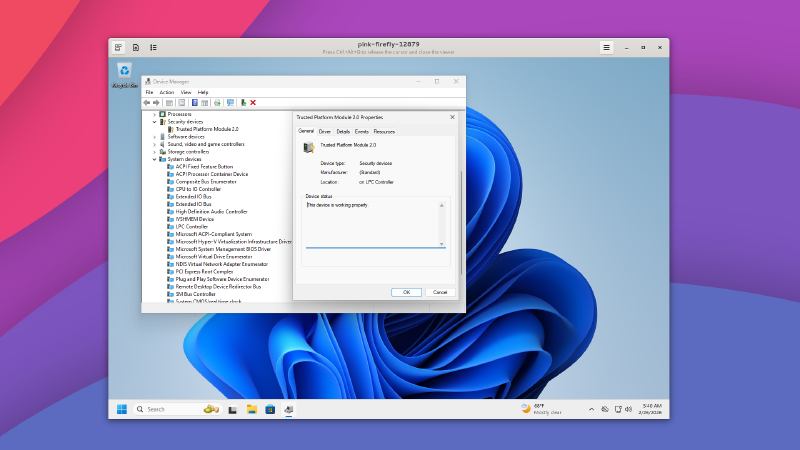
- Windows 11 on Any Hardware: Run Windows 11 even on older machines that Microsoft says aren’t supported. No workarounds needed.
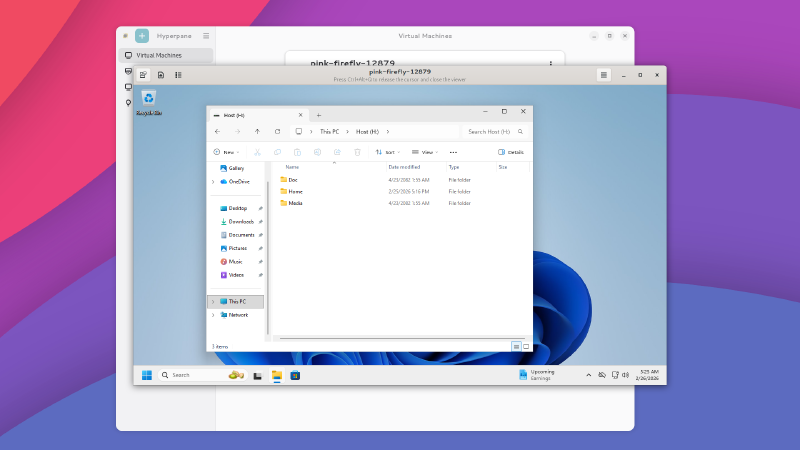
- Seamless File Sharing: Your files are stored safely on Linux and available in Windows automatically. No copying, no syncing.
How Hyperpane Compares to Alternatives#
| Feature | Hyperpane | Dual-Booting | VirtualBox | Parallels | Wine | Proton | CrossOver |
|---|---|---|---|---|---|---|---|
| Run All Windows Apps | ✓ | ✓ | ✗ | ✓ | ✗ | ✗ | ✗ |
| Run at Native Speed | ✓ | ✓ | ✗ | ✗ | ✓ | ✓ | ✓ |
| Run Without Rebooting | ✓ | ✗ | ✓ | ✓ | ✓ | ✓ | ✓ |
| Easy Graphical Setup | ✓ | ✗ | ✓ | ✓ | ✗ | ✓ | ✓ |
| No TPM Required | ✓ | ✗ | ✓ | ✓ | ✓ | ✓ | ✓ |
| Blocks Microsoft Tracking | ✓ | ✗ | ✗ | ✗ | ✓ | ✓ | ✗ |
| Control What Windows Can Access | ✓ | ✗ | ✗ | ✗ | ✗ | ✗ | ✗ |
| Seamless File Sharing | ✓ | ✗ | ✓ | ✓ | ✓ | ✗ | ✓ |
| Graphics Passthrough Setup | ✓ | ✗ | ✗ | ✗ | ✗ | ✗ | ✗ |
| Runs on Linux | ✓ | ✗ | ✓ | ✗ | ✓ | ✓ | ✓ |
What’s a TPM? A TPM (Trusted Platform Module) is a security chip on your motherboard. Microsoft requires it to install Windows 11, which has left many perfectly good computers unable to upgrade. Hyperpane doesn’t need one. Your hardware works as-is.
Hardware Requirements#
| Component | Minimum | Recommended |
|---|---|---|
| Memory (RAM) | 8 GB | 16 GB+ |
| Processor Cores | 4 | 8+ |
| Free Disk Space | 64 GB | 120 GB+ |
| Virtualization Support | Required | Required |
| Graphics Cards | 1 | 2 (integrated + dedicated) |
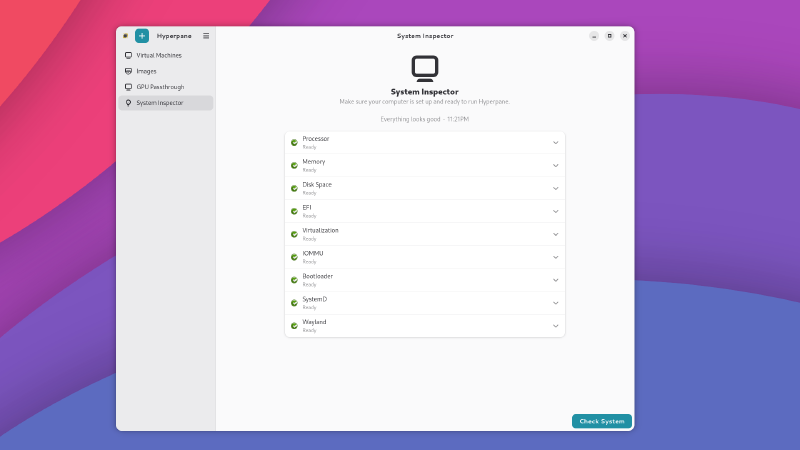
Not sure if your computer supports this? Most computers made in the last several years have the hardware needed. Hyperpane includes a system checker that will tell you exactly what’s ready and what might need a quick settings change.
Pricing#
Individual License#
$25 per machine, one-time purchase. For individuals and small teams.
- Graphics passthrough for near-native speed
- Automated Windows installation
- File sharing between Linux and Windows
- Built-in tracking protection
Enterprise#
Custom pricing for organizations and IT departments.
- Graphics passthrough for near-native speed
- Automated Windows installation
- File sharing between Linux and Windows
- Built-in tracking protection
- Centralized management
- Priority support
- Custom deployment